Resolve import, version and filing problems
Use this guide when import, version checks or filing outcomes stop the journey; return to that stage after the fix.
Who can do this
People with filing access can read its messages. Fixes need the relevant permission. Only an organization admin can retry an import or reconcile an unknown EDGAR outcome.
Before you begin
- Read the exact message for the filing.
- Check whether the problem concerns import, a version, a check or a submission attempt.
Resolve an import problem
| Message or state | What to do |
|---|---|
| Failed import | Read the cause. Ask an organization admin to use Retry import when offered. |
| Fix and open | Review each proposed change. Accept only after you check the changes. |
| Word conversion refused | Import the Word file again for a fresh conversion. A retry reuses the stored conversion. |
| Convert again | Use this action when offered for an older Word conversion. It makes a new copy for review and leaves the existing copy unchanged. |
| SEC import opens as filed | Read the refusal reason. The as-filed view is read-only. |
Do not repeat an import that cannot fix the stated cause. Follow Import and review a filing.
Resolve a version problem
| State | What to do |
|---|---|
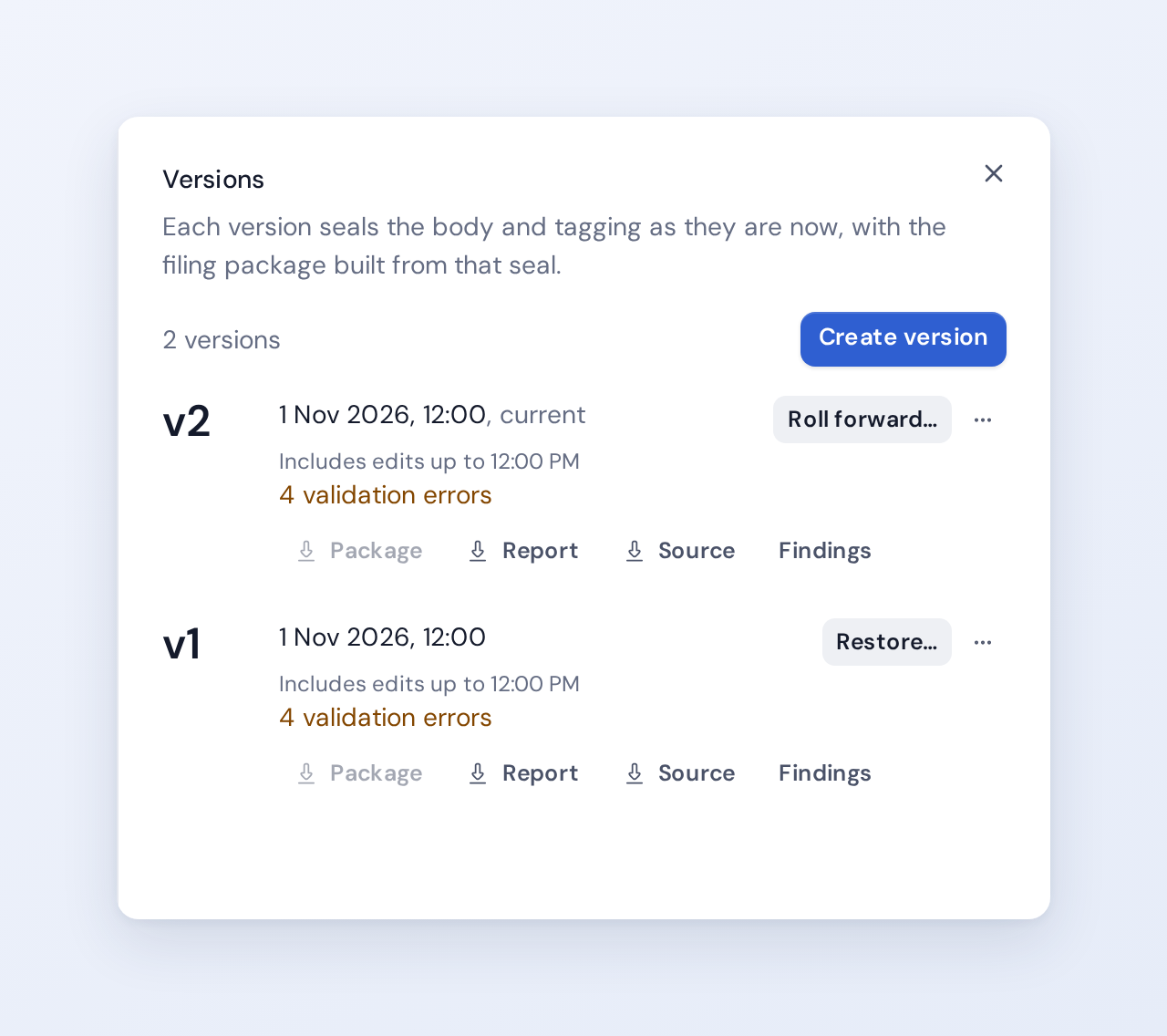
| Version was not built | Read the reason. Use Retry when offered. |
| Not ready to file | Open the listed problems. Fix them before you build again. |
| Export blocked | Read the missing or incomplete output details. Follow the offered next action. |
Autosave does not build a version. See Build versions and keep filing history.
Resolve a stale check
- Finish the content or tag changes.
- Open Check filing on the Review tab.
- Click Check again.
- Review the current result.
An earlier passing check does not cover later changes. Certification needs a current check with no blocking errors and a reason for each warning. See Check a filing.
Resolve a submission outcome
EDGAR closed means the SEC did not check the filing. Send again when EDGAR opens.
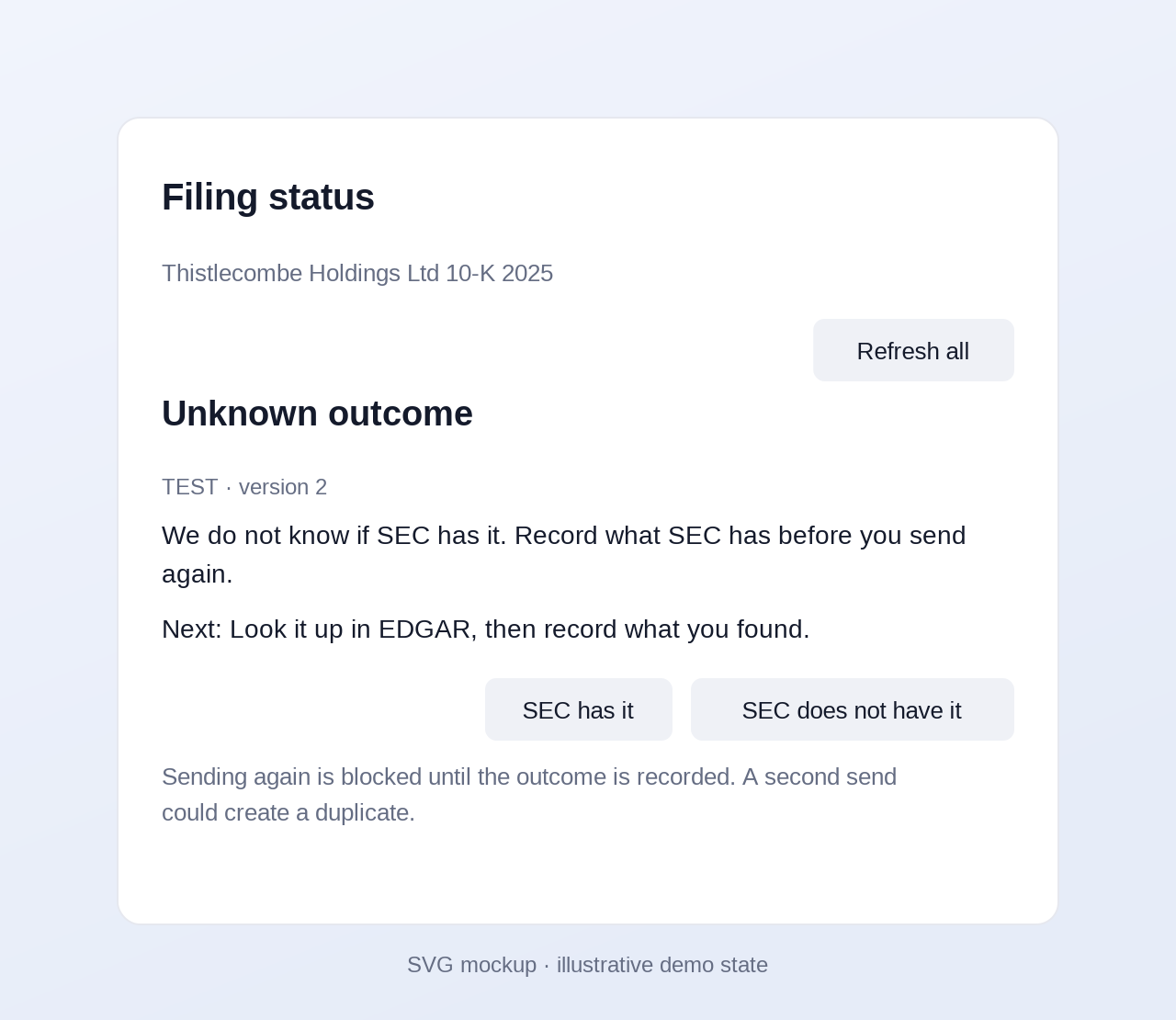
For Unknown outcome, stop repeat sends. Look up the filing in EDGAR. An authorized organization admin must record whether the SEC has it before another send.
See Send a TEST filing to EDGAR for status, refresh and reconciliation steps.
Next
Return to the stage you fixed, or follow Your first filing to resume the journey.